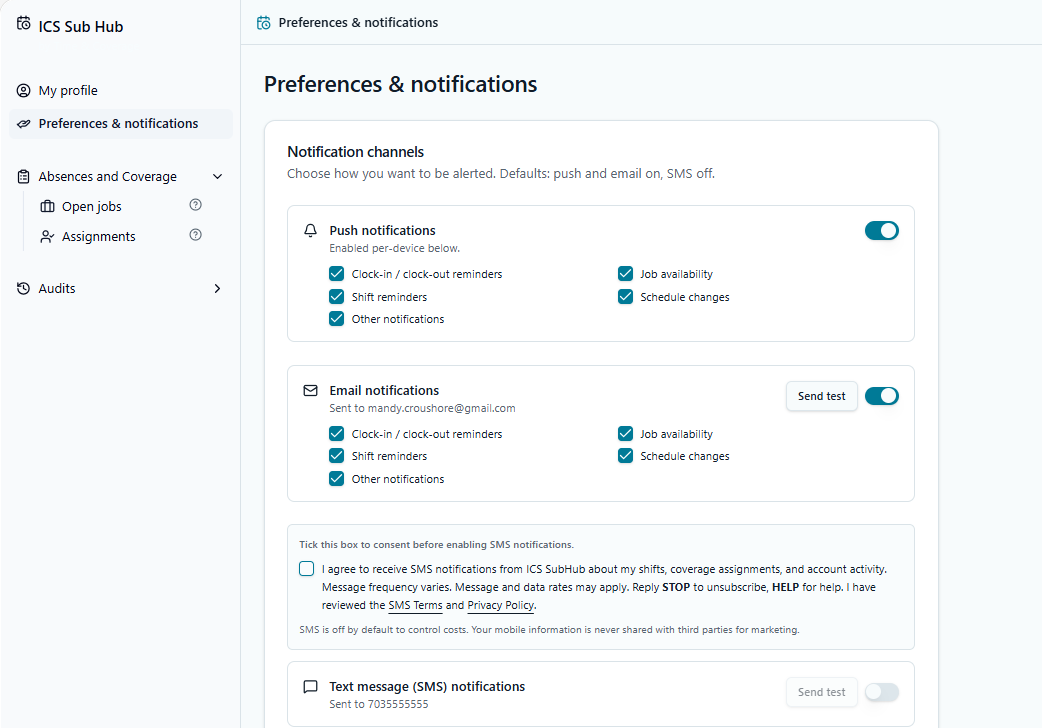
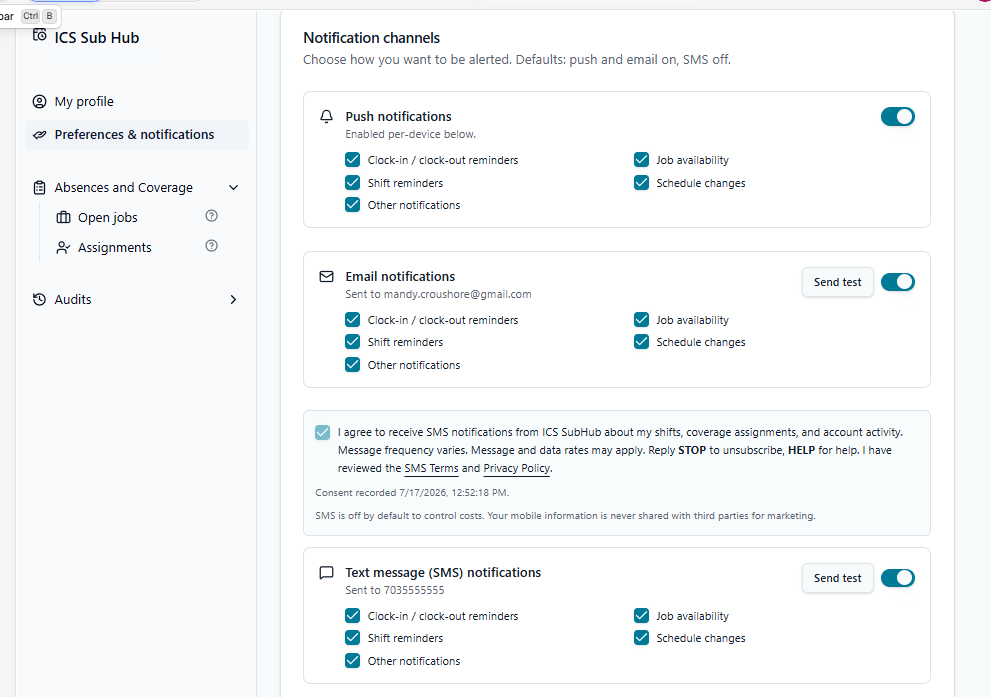
SMS Opt-In Screenshots

Visual proof of the ICS SubHub in-app SMS consent flow, provided for A2P 10DLC campaign verification. The opt-in experience is behind an authenticated login; these annotated screenshots reproduce exactly what an employee sees when granting SMS consent.

Step 1

Sign in at icssubhub.com/auth
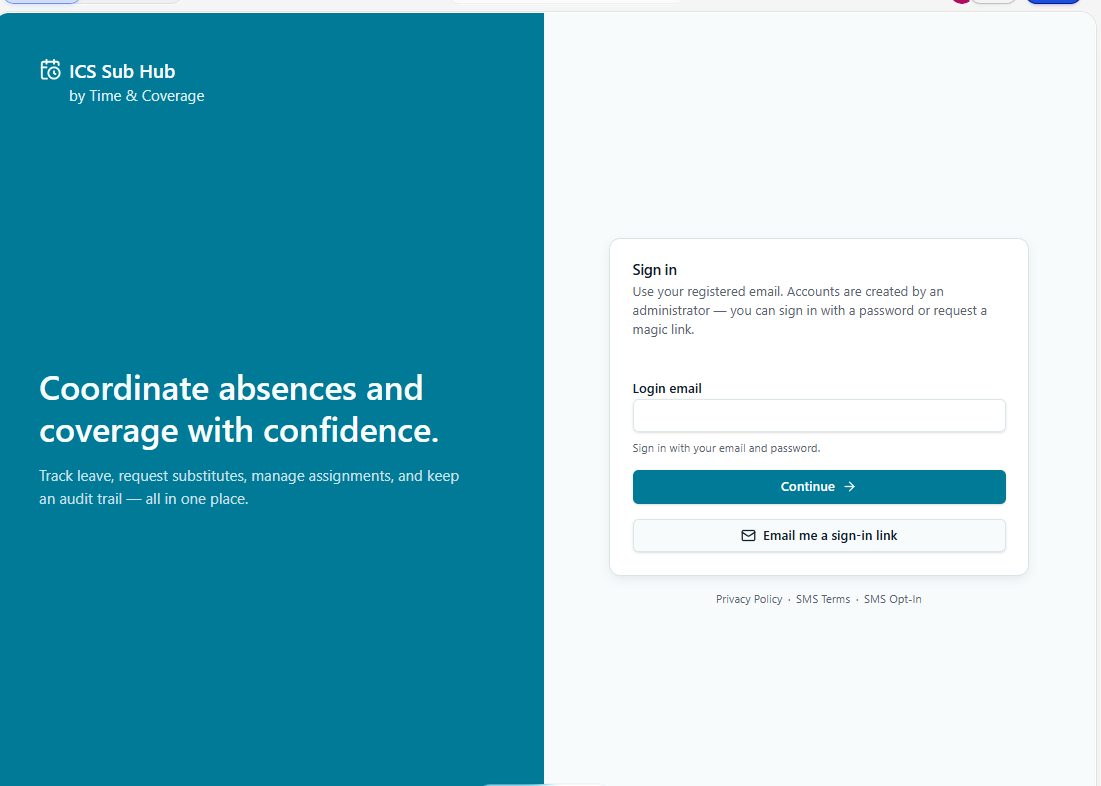
Step 1: Sign in at icssubhub.com/auth
Accounts are provisioned by an administrator. There is no public signup — a user must first sign in before any SMS consent surface is reachable.
Step 2

Add or confirm a mobile phone number in the profile
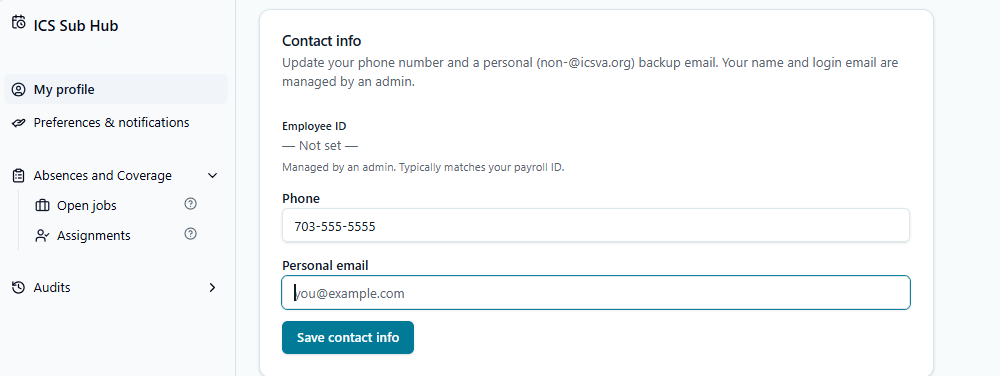
Step 2: Add or confirm a mobile phone number in the profile
The user enters a mobile number on their profile. No SMS can be sent until a number is saved and the consent below is captured.
Step 3

Open Notification Preferences

Step 3: Open Notification Preferences
The Notification Preferences page shows the SMS channel with the toggle OFF by default and the consent checkbox unchecked by default.
Step 4

Review and check the SMS consent checkbox
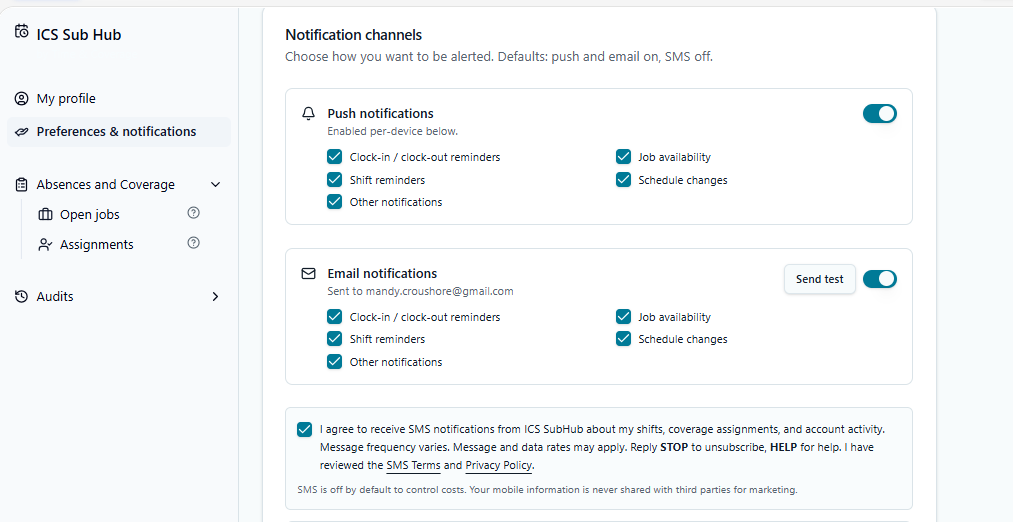
Step 4: Review and check the SMS consent checkbox
The user must actively check a box labeled exactly: “I agree to receive SMS notifications from ICS SubHub about my shifts, coverage assignments, and account activity. Message frequency varies. Message and data rates may apply. Reply STOP to unsubscribe, HELP for help.” The SMS toggle remains disabled until this box is checked.
Step 5

Enable the SMS toggle

Step 5: Enable the SMS toggle
Once consent is checked, the user enables the SMS toggle. The consent timestamp and the exact consent text shown are stored on the user record.
Step 6

Opt-in confirmation message evidence
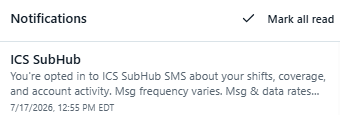
Step 6: Opt-in confirmation message evidence
Immediately after enabling SMS, the app generates the one-time opt-in confirmation message with STOP/HELP instructions. While campaign approval is pending, this screenshot shows the in-app confirmation evidence/template; after approval, the same confirmation is delivered to the user's saved mobile number.
Exact SMS copy sent
You're opted in to ICS SubHub SMS about your shifts, coverage, and account activity. Msg frequency varies. Msg & data rates may apply. Reply STOP to unsubscribe, HELP for help.

Opt-out

Users can opt out at any time by replying STOP to any message, turning off the SMS toggle in Notification Preferences, or removing their phone number from their profile.